
Shopify Affiliate Tracking 101: What It Is and How It Works
.avif)
See how LeadDyno can take your affiliate marketing strategy to the next level. Let’s set up a 1:1 demo to get your questions answered.
At the start of 2025, it was reported that a whopping 59% of consumers prefer online to in-person shopping. Thanks to greater convenience, cheaper pricing, and better variety, e-commerce has outpaced what box stores have to offer in record time.
But what does this mean for the world of influencers and affiliate marketing? To put it plainly: it’s great news.
Not only does influencer marketing do a better job of targeting and acquiring good customers, but businesses that utilize affiliate marketing earn an average of $6.50 for every dollar spent.
In fact, major brands report that up to 25% of their total sales come from affiliate marketing. More than 80% of marketers agree, influencer and affiliate marketing has proven to be a highly effective way to promote your e-commerce business and increase sales.
If you’re taking the leap into investing in affiliate marketing for your online business, you’ll have better success if you understand Shopify affiliate tracking first. Read on to learn everything you should know about using Shopify for your e-commerce affiliate program.
What is affiliate tracking?
Affiliate tracking is the process of monitoring affiliate marketing activities such as clicks, leads or sales generated through affiliate links using a cloud-based platform or plugin.
Brands then compensate their affiliates based on the number of customers, leads, or sales they bring in, depending on the rules of their program’s affiliate agreement.
Without the ability to track affiliates, affiliate managers can’t tell whether customers are finding their brand organically, through paid ads, or being directed to it by an affiliate.
The basics of Shopify affiliate tracking

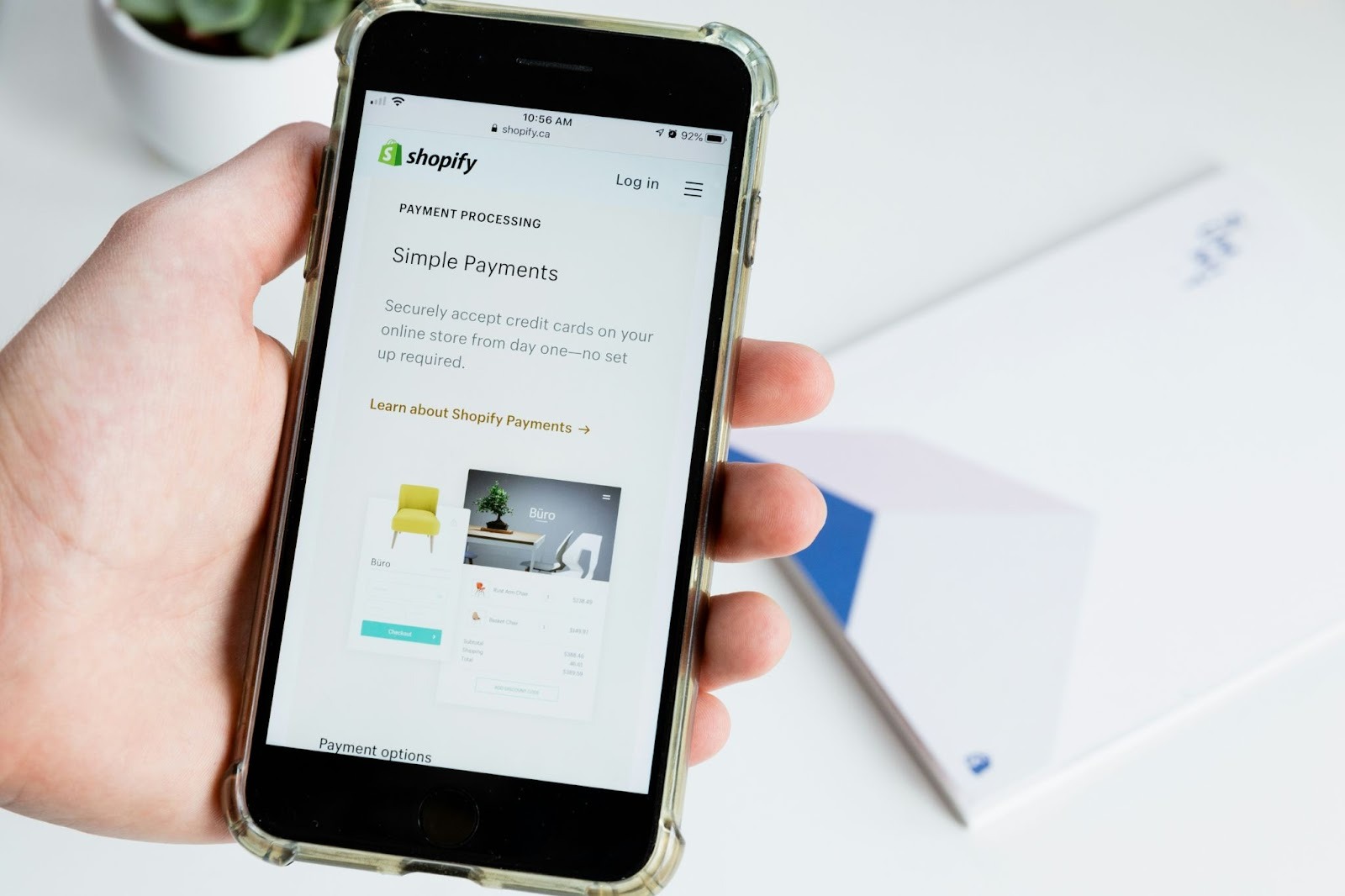
Many Shopify businesses run affiliate programs to reach targeted audiences through affiliates and influencers, helping them to attract more customers and increase sales.
It’s much easier to create a successful affiliate program if you choose affiliate management software that fully integrates with Shopify. This will allow you to automatically track affiliate sales, manage commissions, and access robust performance data on your program.
Affiliate tracking tools like LeadDyno that offer a codeless, one-click Shopify integration are available on the Shopify app marketplace. These no-code tools save you the struggle of having to follow confusing instructions to connect your affiliate program to your store manually.
What do attribution and cookie windows mean in Shopify affiliate tracking?
One part of Shopify affiliate tracking that often gets overlooked is attribution. Attribution refers to the rules that determine which affiliate receives credit for a customer’s purchase. Most affiliate software connected to a Shopify store records referrals on a last-click basis, meaning the final referral link clicked before a purchase gets credit. Understanding this helps merchants see why some affiliates may not receive commission if another referral link gets used later in the customer journey.
Another important setting to understand is the cookie window, also known as the cookie duration. The cookie window determines how long an affiliate marketing referral is considered valid after the first click. For example, if a shopper clicks an affiliate referral link today and makes a purchase 20 days later, the affiliate will still receive credit if the cookie window is set to 30 days.
Many Shopify affiliate program apps default to 30 days, but some let you adjust that period. Programs can provide durations as short as 24 hours or as long as 90 days, although it’s possible to offer even longer. A longer window (60-90 days) works well for products with a longer buying cycle, like luxury items or research-heavy products. A shorter window (24-48 hours) can be better for fast-moving items, like blowout sales or promo campaigns.
It’s important to be clear about your program’s attribution rules and cookie duration to avoid confusing or frustrating your affiliates when it comes to commission payouts.
What are some common affiliate tracking issues to avoid?
Even with the right affiliate program software, tracking problems can appear. Common issues include affiliates sharing the wrong referral link, customers switching devices before finishing a purchase, or ad blockers interrupting the tracking script. These problems can cause missed conversions or disputes over commission.
Merchants should regularly test their tracking flow. A simple way is to click through a referral link, add a product to the cart, complete checkout, and then confirm that the affiliate dashboard records the referral. If the conversion doesn’t show, check for disabled cookies, redirect conflicts, or checkout settings that interrupt the flow.
It’s wise to regularly verify proper tracking as part of ongoing store maintenance. This helps maintain trust with your affiliates by confirming that their marketing efforts always yield accurate results.
How can coupons help with commission tracking on Shopify?
Affiliate tracking on Shopify isn’t just limited to referral links. Many merchants also rely on coupons assigned to affiliates as well. When a customer enters a code provided by an affiliate during checkout, that affiliate receives credit for the sale. This approach is popular with influencers who share simple codes with their audience.
Coupon tracking has its advantages and limitations. On one hand, it’s easy for influencers to promote through email, videos, or social posts. It’s also a clear incentive for their audience to make a purchase. However, codes can also spread beyond the intended audience, which makes it harder to track affiliate sales precisely. For that reason, many Shopify store owners combine referral link tracking with coupon codes to cover both use cases. This hybrid approach allows affiliates to get proper credit while keeping affiliate program records sales a bit more reliable.
Tracking affiliate links in Shopify with LeadDyno
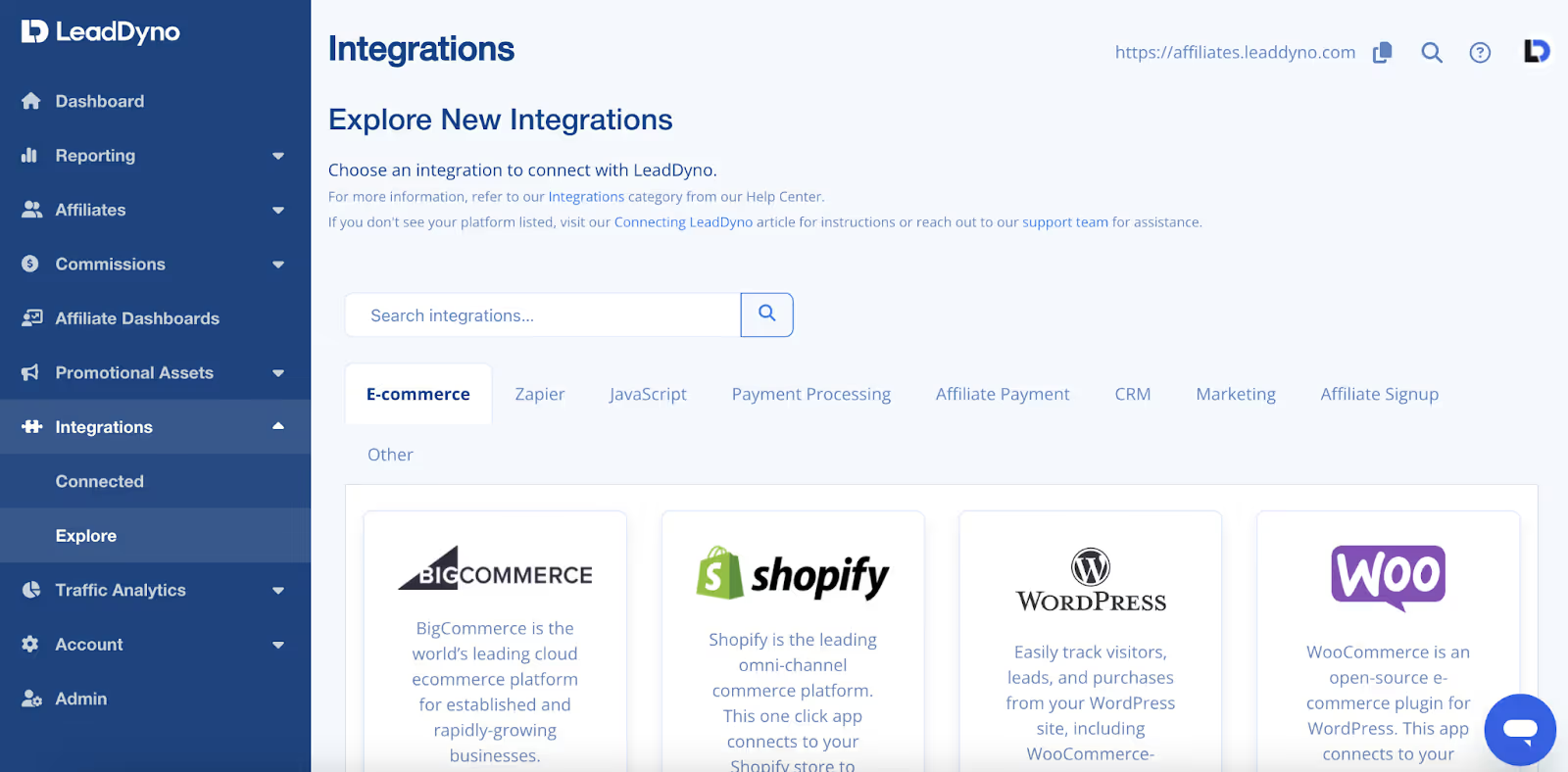
LeadDyno is an affiliate software that integrates seamlessly with your Shopify store and allows you to launch and manage your affiliate program, automate daily affiliate management tasks, and track affiliate links.
How to connect LeadDyno to Shopify
You have two options to connect LeadDyno with your Shopify store after signing up for LeadDyno.
Option #1: Connect through LeadDyno
Go to the Integrations section of the software.
- Click Explore under Integrations on the menu.
- Click on Add next to Shopify.
- Enter the URL of your Shopify store and click on Connect.
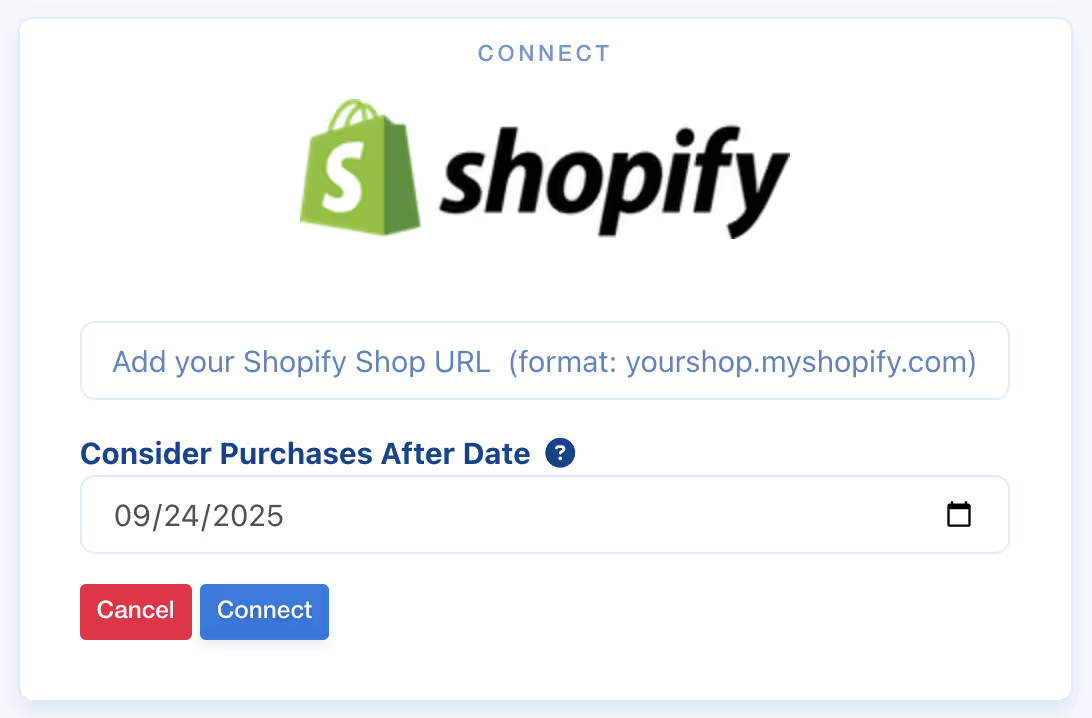
Option #2: Connect through Shopify
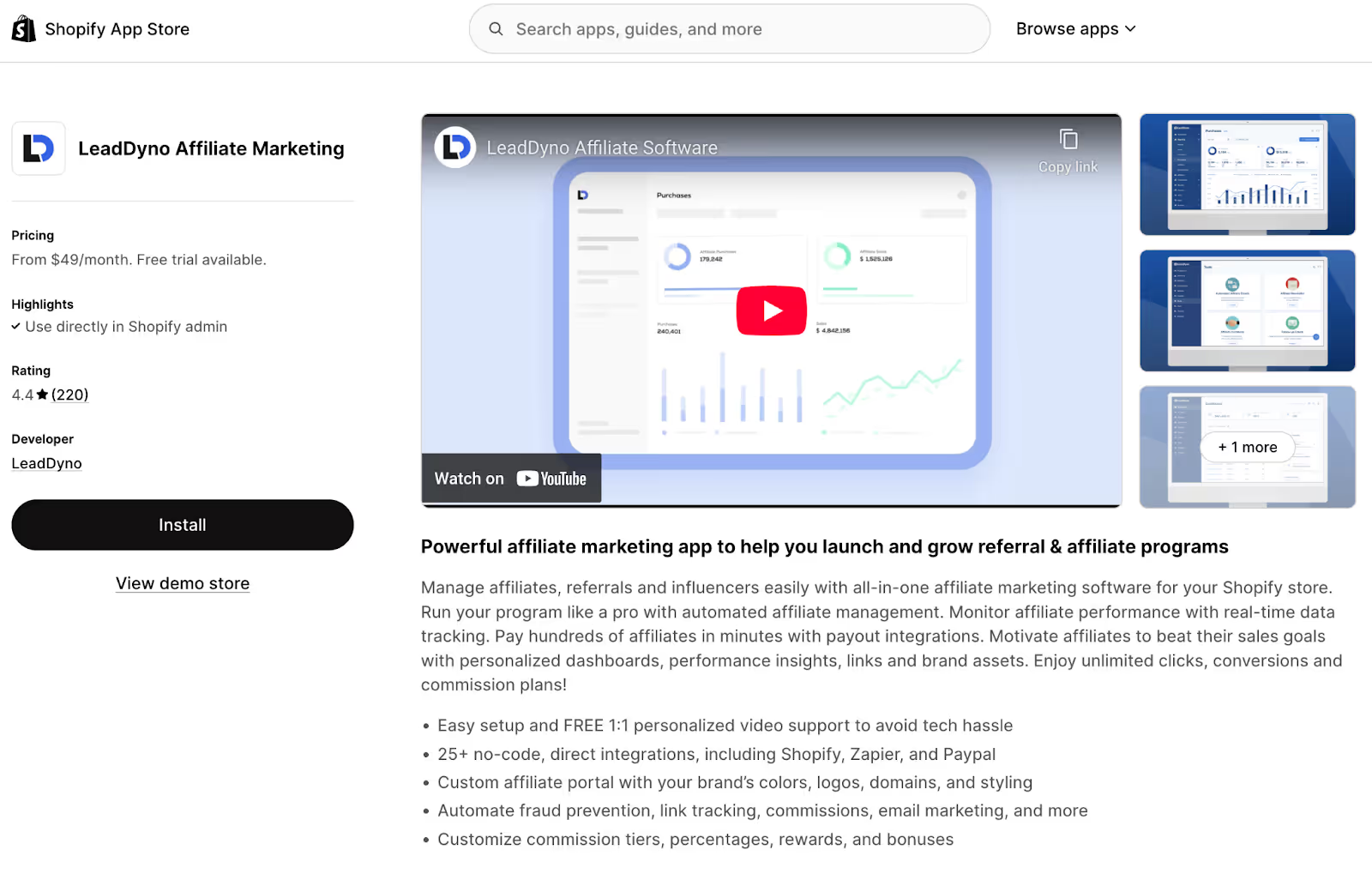
For the second option, log in to your Shopify account. Then, go to Apps and search for LeadDyno. Click Install.
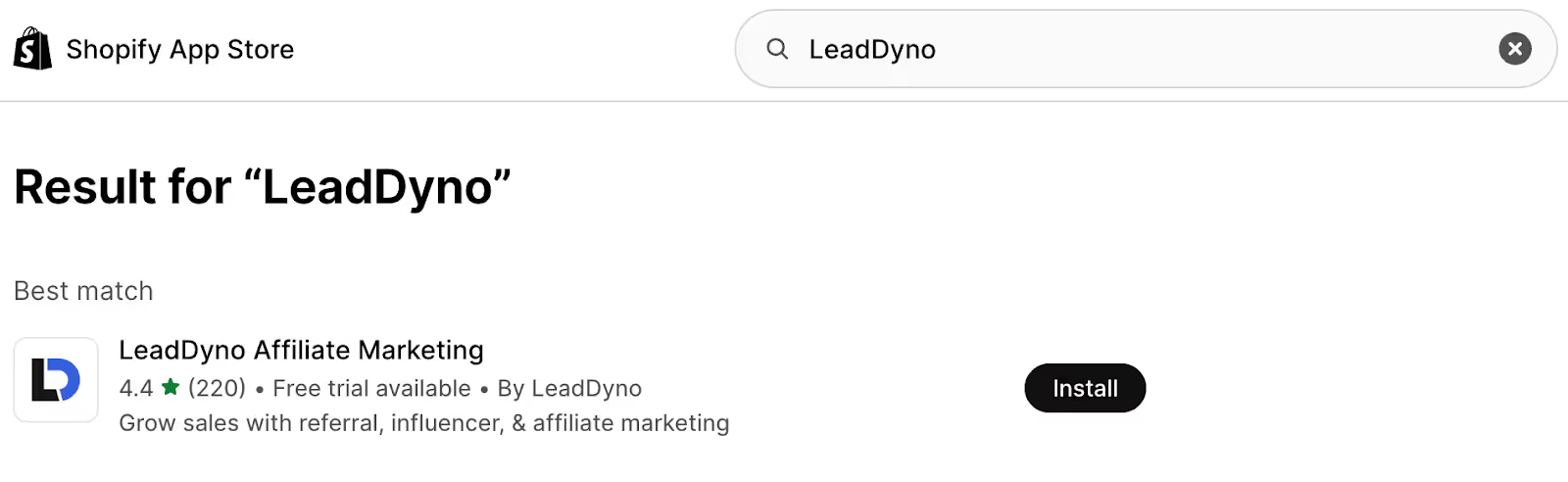
Now, you've connected the LeadDyno app to your Shopify store. You can also disconnect it easily if needed. LeadDyno's customer support agents are available through live chat, email, and scheduled video calls for any issues you may encounter.
After you connect your Shopify website and affiliates sign up for your program, here's how to use LeadDyno for Shopify affiliate tracking.
{{blog-cta}}
Coupon Code Integration
If you want to set up coupon codes in your Shopify store, here’s what to do. In LeadDyno’s menu, first click Integrations, then click Connected. In the Shopify section, click Edit.
Adjust the default percentage and enable "Automatic Discount" and “Use Shopify Automatic Discount URL” for coupons you upload to Shopify. After uploading the coupons, LeadDyno automatically uploads the coupon codes with the discount to Shopify when an affiliate selects the code. Set the discount amount on the settings page, and LeadDyno handles the rest.
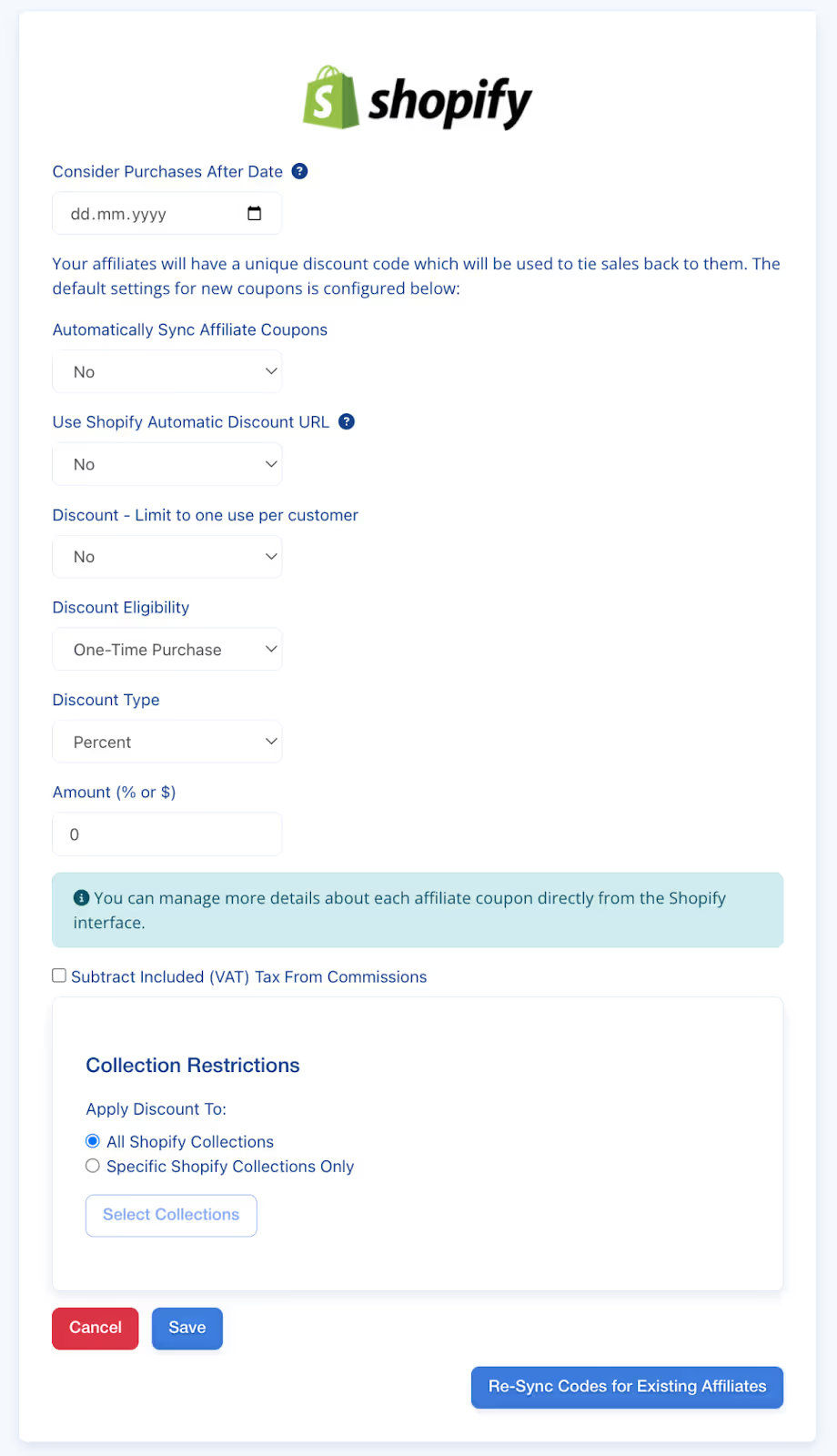
Synchronize Individual Affiliate Codes
LeadDyno lets you synchronize affiliate codes in bulk through the Integrations section. In Settings, you can enable the "automatic" option to automatically synchronize all future affiliate codes to the platform.
But if you exclusively want to synchronize one particular affiliate's code, here’s what to do:
- Head to the Affiliates tab and press Manage.
- Select the name of the specific affiliate partner, and you’ll be taken to their individual affiliate page.
- To the right of their name, click Re-Sync Code → check the Shopify box → press the Re-Sync Code button.
Now, that individual affiliate’s code is synced and any updates will reflect in Shopify automatically.
3 simple tips for better Shopify affiliate tracking
If you want to make your Shopify affiliate program a success, here’s some helpful advice to get you started on the right foot.
- Review potential affiliate applications carefully.
Keep in mind that your program's success depends greatly on your affiliates’ performance. When you receive an application from an affiliate, review it carefully. Make sure the affiliate meets your basic criteria:
- Do they work in the same niche as your brand?
- Do they have a sizable audience?
- Do their posts resonate with you and match your brand?
- Does their number of followers correspond with the likes and comments on their posts?
It's important to work with affiliates who align well with your brand since they’re more likely to have audiences full of your target shoppers.
- Choose the right affiliate software.
The type of affiliate management software you choose can do wonders when it comes to saving time and keeping your referral program running smoothly. The type of affiliate management software you choose can make a big difference in saving time and keeping your referral program running smoothly.
With LeadDyno, you can:
- Easily track Shopify orders from affiliate links and coupon codes
- Pay and reward affiliates based on their performance
- Access detailed tracking and reporting to optimize your program
As well, LeadDyno offers impressive customer support through email, video, and live chat. If you ever get stuck or can’t resolve a query, you can get in touch with the support team easily.
- Reward top affiliates.
In most affiliate programs, a small number of affiliate partners will be the ones bringing in the majority of your leads. This is another reason why it’s so important to track your links; it gives you a clearer picture of which affiliates are your best performers. You should be continuously incentivizing your best performers with regular bonuses and special discounts to help them promote further.
Track affiliates easily with LeadDyno and Shopify

LeadDyno’s affiliate management tools allow you to onboard, manage, and track thousands of affiliates easily. LeadDyno automates tasks like assigning affiliate links, so you don’t have to worry about getting affiliates set up and giving them what they need to promote your brand. You can also use LeadDyno to send newsletters to your affiliates and communicate with all of them simultaneously.
Here are some of the main features that make LeadDyno an especially strong choice for e-commerce store owners:
- Automated affiliate management with onboarding, communications, commissions, fraud prevention, and more
- Real-time performance data to monitor clicks, conversions, and commissions instantly
- Payout integrations and bulk payment capabilities to pay hundreds of affiliates in minutes – with multi-currency support as well
- Custom affiliate portal and branded dashboard with your own domain, colors, and interface for affiliates
- Multiple commission types and tiered plans including multi-level marketing, performance bonuses, product commissions, and royalty structures
- Fraud prevention and link tracking tools to protect against invalid or malicious referrals
- Easy integration and no-code setup with 25+ direct integrations, plus free setup and support
If you’re ready to take the next step in building a successful affiliate marketing program, LeadDyno can help you scale your program fast without adding endless tasks to your to-do list.
Conclusion
The data is clear: 40% of US merchants report affiliate programs as their top customer acquisition channel, and more than 16% of all e-commerce orders in North America are attributed to affiliate marketing, If you’re an e-commerce business owner on Shopify, you’re missing out on a major revenue source if you don’t have an affiliate program in place.
If you do have an affiliate marketing program but you’re struggling with management and upkeep, it might be time to choose a software like LeadDyno that automates daily tasks, so you can spend your valuable time running the other parts of your business. If you’re ready to connect effortlessly with Shopify and manage affiliates automatically, try LeadDyno. Sign up today for a 30-day free trial.
.webp)

.svg)
Start a Free Trial
30 days free · Full Access
Cancel anytime
You might also be interested in...


Get Started Today
Launch your affiliate program with confidence thanks to our 30-day free trial. Begin building a program that delivers results.

